Join the list

Berglet / play

Play.

Turn it on, pick a game, and you're playing. No account, no store, no waiting.

YXBA SELECTSTART

What it's like

Your games sit in a library with covers, favourites and how long you've played. Pick one with the D-pad and press A.

Press Start and Select together in any game for the quick menu: save, load, screenshot, volume, brightness, quit. Quit and the game waits for you. Next time, it carries on from the same moment.

Adding games is easy. Plug Berglet into a computer and it shows up as a drive with one folder in it, called Drop games here. Drop games there.

Screen
Bright colour screen, 280 × 240
Buttons
D-pad, A B X Y, L and R, Start and Select
Sound
A speaker on the back, with volume in the quick menu
Storage
microSD card for games, saves and screenshots
Saves
In-game saves, save states and a resume point for every game

★ Launch games

Made for Berglet.

Games written for this screen and these buttons, one in each of the ways you can make a game for Berglet.

Wickwood: screenshot 1
Wickwood: screenshot 2
Wickwood: screenshot 3
Wickwood: screenshot 4
Wickwood: screenshot 5
Wickwood: screenshot 6

Made in Lua

Wickwood

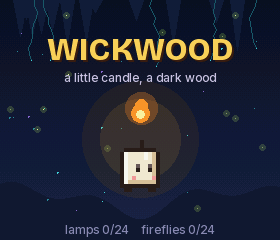
A little candle, a dark wood, and 24 lamps to light again.

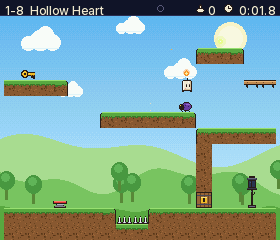
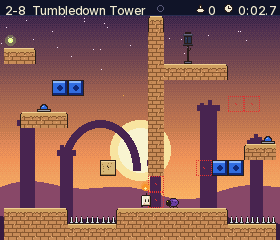
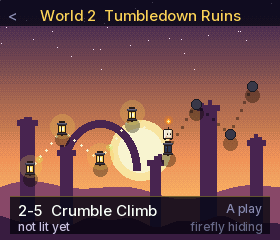
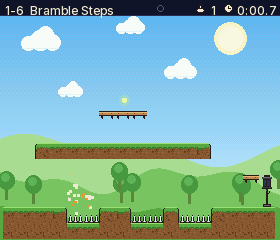
Every lamp in the Wickwood has gone out, and Wick, a small and very brave candle, sets off to light them all. Each level is one hand-made screen with one new idea: keys and doors, springs, beetles to bounce on, ground that crumbles under your feet, switches that swap red and blue blocks.

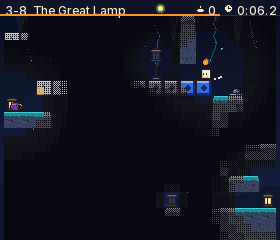
Then come the Glowroot Caverns, where the only light is Wick's own little flame, and it is burning down. Every level hides a firefly for the patient and remembers your best time.

How to play

D-pad
Run (on the map: pick a level)
A
Jump (hold for higher)
Start
Rest: go on, try again, or back to the map
Select
On the title: forget all progress
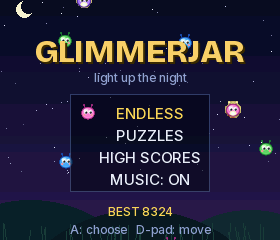
Glimmerjar: screenshot 1
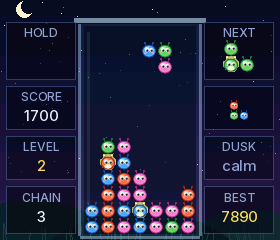
Glimmerjar: screenshot 2
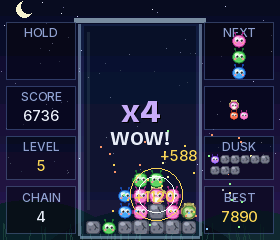
Glimmerjar: screenshot 3
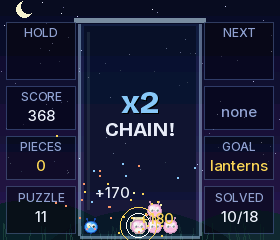
Glimmerjar: screenshot 4
Glimmerjar: screenshot 5
Glimmerjar: screenshot 6
Glimmerjar: screenshot 7

Made in Python

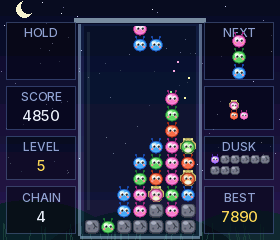
Glimmerjar

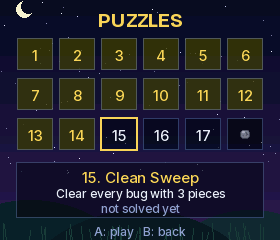
Catch falling glimmer bugs in a jar, light up groups of four, and set off chains that sparkle across the night.

Glimmer bugs tumble into your jar three at a time. Line up four or more of one colour and they light up and fly away, and everything resting on them drops, maybe into another group, and another: a chain.

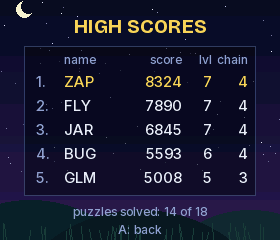
Lantern bugs burst and take their neighbours with them, so a well-placed lantern can save a jar that looked lost. Play Endless as the bugs speed up and the dusk pushes pebbles up from below, or work through 18 hand-picked puzzle jars where every piece counts.

How to play

Left / Right
Move
Down
Drop faster
Up
Drop at once
A / B
Turn
X / Y / L / R
Hold
Start
Pause
Cinder Wing: screenshot 1
Cinder Wing: screenshot 2
Cinder Wing: screenshot 3
Cinder Wing: screenshot 4
Cinder Wing: screenshot 5
Cinder Wing: screenshot 6

Made in WebAssembly

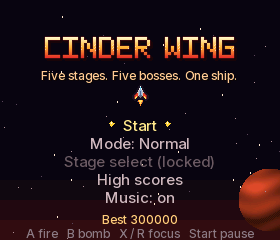
Cinder Wing

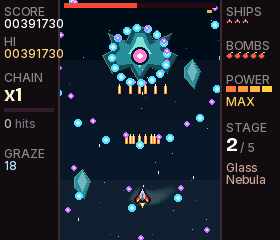
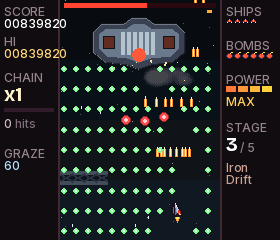
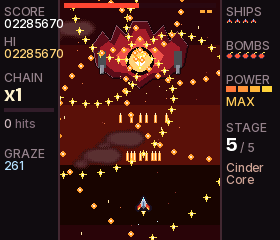
A blazing vertical shoot-'em-up: five worlds, five giant bosses, and hundreds of bullets to weave through.

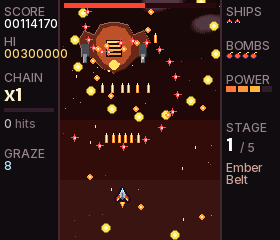
Fly the Cinder Wing through the Ember Belt, the Glass Nebula, the Iron Drift, the Ion Tempest and into the Cinder Core, where the Hearthmind waits. Every stage has its own waves, its own music and a boss that changes form before it falls.

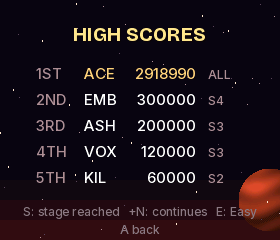
Chain your kills to raise the multiplier, graze bullets for points, and shoot down big ships to turn their bullets into gold. Out of ships? Continue, then claim your place in the high score table.

Made with WebAssembly, and every bit as quick as an arcade.

How to play

D-pad
Fly
A
Fire (hold)
X / R
Focus: slow, precise, heavy shot
B
Bomb
Start
Pause
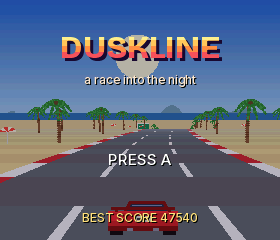
Duskline: screenshot 1
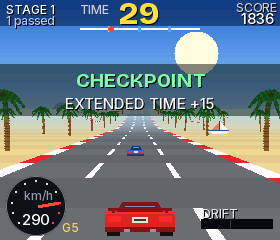
Duskline: screenshot 2
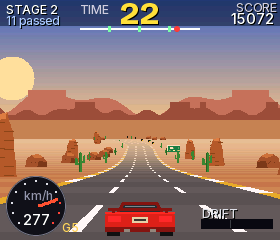
Duskline: screenshot 3
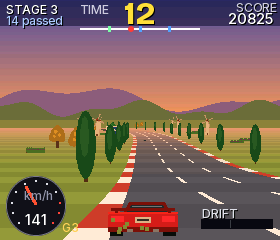
Duskline: screenshot 4
Duskline: screenshot 5
Duskline: screenshot 6
Duskline: screenshot 7
Duskline: screenshot 8

Made in C

Duskline

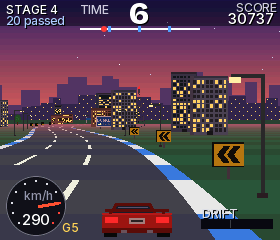
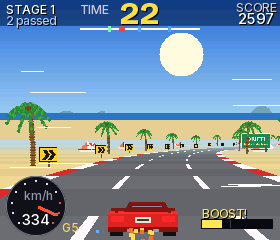
Race the sunset down five roads, from noon on the coast to midnight in neon.

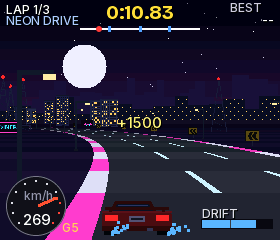
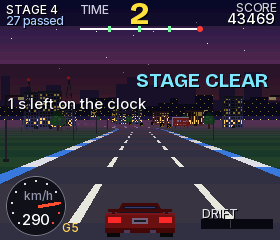
Duskline is an arcade road race against the clock. Hit the checkpoints before time runs out, weave past traffic for points, and watch the day turn to dusk and then to night as the Grand Tour crosses a sunny coast, a red canyon, golden hills, a harbor town and a neon city.

Hold B through a bend to drift. The longer the slide, the bigger the boost when you let go: blue sparks are good, orange ones are better. Every stage you reach opens up in Time Trial, where you chase your best lap.

How to play

A
Accelerate
B
Brake (hold while steering to drift)
D-pad
Steer, and move through menus
Start
Pause
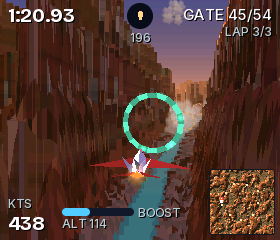
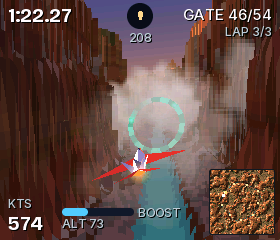
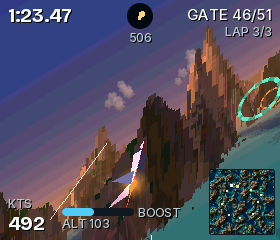
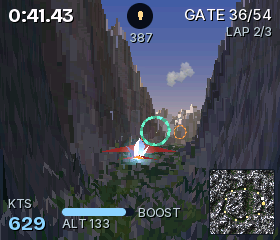
Skyrift: screenshot 1
Skyrift: screenshot 2
Skyrift: screenshot 3
Skyrift: screenshot 4
Skyrift: screenshot 5
Skyrift: screenshot 6
Skyrift: screenshot 7
Skyrift: screenshot 8
Skyrift: screenshot 9
Skyrift: screenshot 10

Made in C

Skyrift

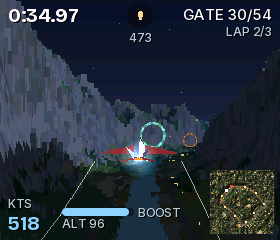
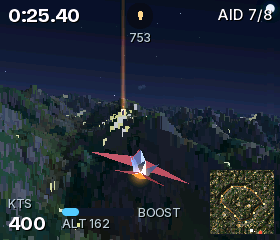
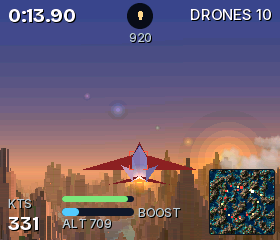
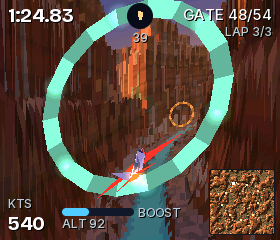
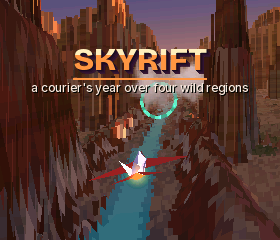
Thread a courier jet through sunset canyons, frozen peaks, burning isles and a valley of lanterns: a whole voxel world, flown at speed, on a 240 MHz pocket console.

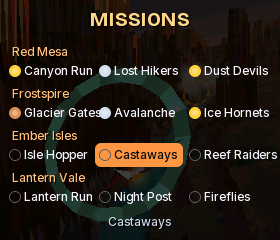
Skyrift is a fast flying game over a landscape that goes on in every direction. You are a courier pilot with a year of work across four wild regions: the red canyons of Red Mesa as the sun goes down, the snowy Frostspire range at sunrise, the Ember Isles burning in the evening light, and Lantern Vale at night, where the villages and the river road are the only lights.

Each region has three missions: a gate run through the course carved into the land, a rescue where you sweep low over flares to pick people up and bring them home, and a hunt for rogue drones that shoot back. Fly low and fast to SKIM, which fills your boost. Win gold, silver or bronze against the clock; your best times and medals are saved, and each mission you finish opens the next.

Every pixel of the land is drawn by the game itself, column by column, with soft shadows that grow as the sun sets, water that mirrors the sky, clouds you fly through and a draw distance of a thousand map steps, by both of the console's cores at once.

How to play

D-pad
Bank and turn (left, right); climb and dive (up, down; can be swapped in Options)
A
Boost
B
Fire in hunts, air brake otherwise
L / R
Barrel roll (dodges shots)
Y
Chase or cockpit view
Start
Pause

a Examples to play and change

Games you can open up

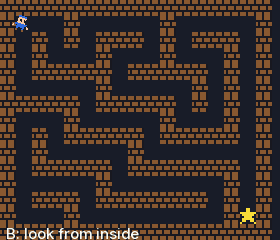
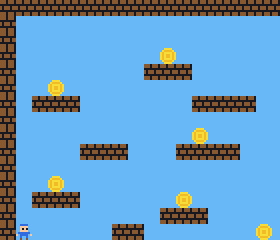
The editor comes with example games: a maze, a platformer, a 3D landscape, a game of catch and more. Each one is a page or two of code.

Play one, then open it, change a number and watch what happens. That's how making starts. See how it works.

Example game: a maze of brick walls seen from above, with a small player in one corner and a star in another.
Example game: a platformer with floating brick ledges and gold coins on a blue sky.
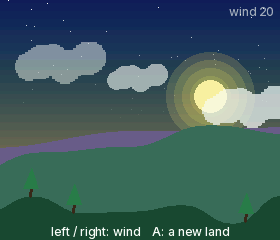
Example program: a generated landscape with hills, pine trees, clouds and a low sun.
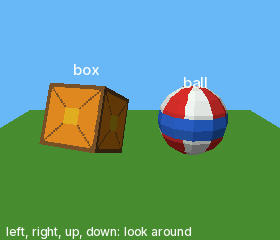
Example program: a textured box and a striped ball drawn in 3D on a green plane.

b Your own game files

Your classics, in your pocket

Berglet also plays your own game files for many classic consoles and handhelds, and for today's fantasy consoles. Drop them on the card and they appear in your library, ready to play.

Most run at full speed. A few of the most demanding scenes on 16-bit consoles show fewer frames than the original.

Games for other systems are not included. Berglet doesn't include, sell or link to anyone else's games. Only play game files you have the right to use.

Classic consoles
8-bit and 16-bit home consoles
Classic handhelds
8-bit, 16-bit and 32-bit handhelds
Fantasy consoles
PICO-8 carts, TIC-80, WASM-4, LowRes NX
Tiny game systems
Arduboy, Gamebuino, Uzebox
And more
Doom WADs, CHIP-8
Which systems, exactly?

Game Boy and Game Boy Color, Game Boy Advance, NES, Super Nintendo, Master System, Game Gear, Mega Drive, PC Engine, Neo Geo Pocket, WonderSwan, Lynx, Atari 2600 and 7800, plus the systems above.

These names are trademarks of their owners, used only to say which game files Berglet can read. Berglet is not affiliated with, sponsored or endorsed by any of them.

c Better together

Play with the person next to you

  • Two-player games over a direct link between consoles. No router, no internet.
  • Send a game to a friend's console in the same room.
  • Achievements for classic games, with a RetroAchievements account.
  • Cover art for your library, fetched over Wi-Fi.

d Power

Put it down. Pick it up.

Berglet has a rechargeable battery that charges over USB-C. Stop playing and it goes to sleep; press Start and you're back.